
AI Receptionist Cost: Real 2026 Pricing and What You Get
When someone asks about pricing, the confusion over different quotes usually comes down to what they mean by the words, and the truth is that AI receptionist cost can vary wildly depending on whether the vendor is selling a simple IVR, an end-to-end human+AI workflow, or a fully integrated virtual front desk. One vendor’s $50/month […]
When someone asks about pricing, the confusion over different quotes usually comes down to what they mean by the words, and the truth is that AI receptionist cost can vary wildly depending on whether the vendor is selling a simple IVR, an end-to-end human+AI workflow, or a fully integrated virtual front desk. One vendor’s $50/month is another vendor’s stripped-down add-on; one four‑figure setup fee is another provider’s standard implementation; and some won’t quote at all until they’ve scoped the workflow.
This post breaks down what you actually pay for, the typical rates you can expect in 2026, the fees that often appear in month three, and a practical way to assess whether the number in front of you represents good value for your business. No vendor spin; I build these systems and will explain where the money goes.
Key Takeaways
- AI receptionist cost splits into four line items: platform fee, per-minute voice usage, phone number and telephony, and the setup or build work.
- Entry-level answering bots start under $100 a month. Properly integrated systems that book into your calendar run into the low four figures to set up.
- Per-minute voice charges are where cheap quotes get expensive. A 3-minute call handled 200 times a month is 600 billable minutes.
- The cost that never appears on a quote is integration work: connecting the bot to your calendar, CRM, and notification chain.
- A full-time receptionist in New Zealand costs well over $60,000 a year loaded, covers 40 hours, and takes annual leave. AI covers 168 hours and doesn’t take annual leave.
- Judge the price against what a missed call is worth. If your average job is $2,000, one recovered call a month pays for almost any system on the market.
- Dr Claire ran two receptionists and still lost 47% of calls. After voice AI, missed calls went to zero and booked appointments rose 44%.
What You’re Actually Paying For When You Buy an AI Receptionist
The reason quotes vary by 40x is that “AI receptionist” describes anything from a voicemail transcriber to a system that answers, qualifies, books into your live calendar, updates your CRM, and texts you a summary before the caller has put the phone down.
Underneath every quote, though, sit the same four cost components. Once you can name them, you can compare vendors properly.
1. The platform or licence fee
This is the monthly cost of the software that runs the agent. It covers the voice model, the call routing, the dashboard, the recordings, and the transcripts. It’s the most visible number and usually the one advertised on the pricing page.
Platform fees vary less than you’d think. What varies is what’s bundled into them, particularly how many included minutes you get before usage charges kick in.
2. Per-minute voice usage
Every second the AI is speaking or listening costs money. Speech-to-text, the language model, and text-to-speech all bill by usage. Vendors either pass this through at cost plus a margin, or bundle a minute allowance into the platform fee and charge overage beyond it.
This is the single most misunderstood part of AI receptionist cost. A tradie doing 40 calls a month and a dental practice doing 900 are buying the same product at very different prices.
3. Telephony and phone numbers
You need a number for the AI to answer on, or you need your existing number forwarded to one. That means a phone number rental and inbound call minutes from a carrier such as Twilio or Telnyx. It’s usually the smallest line item, a few dollars a month plus a per-minute carrier rate, but it’s real, and it’s often invisible in the quote.
If you want the AI to transfer live calls to a human, transferred minutes get billed on both legs. Two legs, two meters running.
4. Setup, configuration, and integration
This is the build. Writing the conversation logic, loading your services and pricing and opening hours, connecting the calendar, mapping the CRM fields, setting up the escalation rules, testing it against real call scenarios, and tuning it after go-live.
DIY platforms charge nothing for this and hand you a blank prompt box. Done-for-you providers charge a one-off setup fee because someone has to sit down and do the work. That fee is the largest single variable in any AI receptionist cost comparison, and it’s the one that most determines whether the thing actually works when a real customer rings at 6:40 pm.
AI Receptionist Cost in 2026: Real Pricing Ranges
Here’s what the market looks like right now. I’m quoting third-party and market-wide figures, in NZD unless noted, so you can benchmark whatever’s in front of you.
Tier one: self-serve answering bots
Roughly $30 to $150 a month, plus usage.
This is the bottom of the market. You sign up, paste in a paragraph about your business, point your number at it, and it answers. Some include a small bundle of minutes, often 100 to 300. Beyond that, you pay per minute, typically somewhere between $0.10 and $0.25 depending on the voice model.
What you get: a bot that answers, sounds reasonably human, takes a message, and emails you a transcript. What you don’t get: reliable calendar booking, CRM updates, call routing logic, or anyone to fix it when it starts telling callers you’re open on Sundays.
For a solo operator who just wants the phone answered instead of ringing out, this tier is genuinely fine. Be honest about that being the goal.
Tier two: mid-market platforms with booking
Roughly $200 to $600 a month, plus usage, sometimes with a modest onboarding fee.
Here you get calendar integration, basic qualification questions, call transfer to a human, SMS follow-up, and a dashboard with recordings and outcomes. Included minute bundles are bigger, often 500 to 1,500, with overage between $0.08 and $0.20 a minute.
This tier works well if your booking flow is simple and your calendar software is one the platform already supports. It falls over when your business has rules the platform doesn’t model. New patients versus existing, deposit required, two-hour jobs versus twenty-minute ones, that sort of thing.
Tier three: done-for-you, built around your business
Low four figures to set up, plus an ongoing monthly fee for the platform, usage, and support.
This is where I operate, and I’ll be straight about why it costs more. The setup fee buys someone mapping your actual call patterns, writing conversation logic that matches how your business really works, connecting it to your calendar and CRM so bookings land where your team already looks, and then testing and tuning it against real calls for the first few weeks.
The difference shows up in outcomes, not features. A bot that answers is a cost. A bot that books is revenue.
I won’t publish exact Brass Butler numbers here because they change and a stale figure on a blog helps nobody. If you want a real quote for your situation, the Discovery Call is thirty minutes and free.
What drives your number up or down
Four things move the price more than anything else:
Call volume. The biggest single driver of ongoing AI receptionist cost. Work out your monthly inbound calls and your average call length, multiply, and you have your billable minutes. A 3-minute average across 200 calls is 600 minutes a month.
Number of integrations. One calendar is straightforward. Calendar plus CRM plus job management plus SMS plus a Slack alert is four times the setup work and four things that can break.
Conversation complexity. “Take a message” is simple. “Ask which service, check whether they’re an existing customer, quote a price band, book the right appointment length, take a deposit, and warm-transfer anyone who says the word urgent” is not.
After-hours and overflow logic. Deciding what happens at 2 am, on a public holiday, or when three calls come in at once is real design work. It’s also usually where the return sits, which I’ve written about in more detail in after-hours call answering.
The Costs Nobody Puts on the Quote
I’ve reviewed a lot of vendor quotes over the last two years. These are the line items that go missing.
Overage on minutes
The most common surprise. You get quoted a monthly platform fee with “500 minutes included,” which sounds generous until a busy month pushes you to 900. Ask two questions before you sign: what’s the overage rate, and does hold time or transfer time count as billable minutes? On some platforms it does.
Transferred call legs
When the AI passes a caller to a human, you’re often paying for both sides of that call for its full duration. If your setup transfers 30% of calls and those calls run eight minutes, that’s a meaningful monthly line that no one mentioned in the demo.
Number porting and telephony setup
Moving your existing business number to a new carrier is usually a one-off fee and always a hassle. Most good implementations avoid it by forwarding your existing number instead, but ask which approach the vendor uses. Porting a number you’ve had for fifteen years badly is not a mistake you want to make.
Prompt and knowledge maintenance
Your prices change. You add a service. You move to new premises. Someone has to update what the AI knows, or it will confidently tell a caller something that stopped being true in March.
On DIY platforms, that someone is you. On done-for-you, it should be included in the ongoing support, and if it isn’t, ask what a change request costs. This is exactly why I position ongoing work as training, optimisation and support rather than a set-and-forget install. A voice agent left alone for six months gets worse, not better.
Failure and fallback handling
What happens when the AI can’t understand a caller, or the calendar API is down, or someone rings speaking a language it doesn’t handle? A proper build has a defined fallback: transfer to a human, take a callback number, send an alert. A cheap build has silence, and silence on a customer call costs you the customer.
AI Receptionist Cost vs a Human Receptionist vs an Answering Service
This is the comparison most people are actually running in their head, so let’s do it properly.
The human receptionist
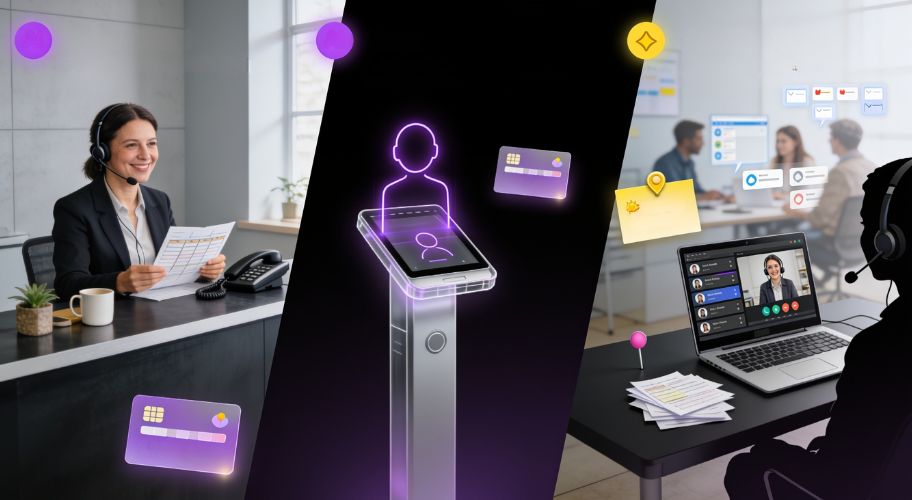
In New Zealand, a full-time receptionist sits somewhere around $55,000 to $65,000 a year in salary depending on the city and the role. Add that with KiwiSaver, ACC, recruitment, training time, holiday cover, and the desk they sit at, and you’re comfortably north of $70,000 for one person covering forty hours a week.
That person is worth every cent for the things humans do well: reading a distressed customer, handling something genuinely unusual, making a judgement call. What they cannot do is answer at 9 pm, answer three calls at once, or never have a bad day.
Dr Claire’s practice is the example I come back to. Two receptionists on the desk, and 47% of inbound calls still went unanswered. Not because the staff were slow. Because the calls arrived in clumps while both of them were already on the phone or with a patient at the counter. After voice AI went in to handle overflow and after-hours, missed calls went to zero and booked appointments rose 44%.
The point of that story isn’t “replace your receptionist.” It’s that the missed calls were never a staffing problem. They were a capacity problem, and you can’t hire your way out of a capacity problem that only exists for ninety minutes a day.
The traditional answering service
Human answering services typically charge per call or per minute, often in the range of $2 to $4 a call or $1.50 to $3 a minute, sometimes with a monthly minimum. They’re staffed by people who don’t work for you and don’t know your business, so what you generally get back is a message.
Compared against AI receptionist cost, a live answering service is roughly ten to twenty times the per-minute rate, and it delivers less. A message is not a booking. Someone at your end still has to ring the person back, and by then they’ve called the next business on the list.
The honest comparison
Run the numbers on a per-outcome basis rather than a per-month basis. A human receptionist costs a lot and delivers judgement, warmth, and everything else that happens at a front desk. AI costs a fraction and delivers coverage, consistency, and the ability to handle twelve calls at once at 11 pm on a Sunday.
Most of the businesses I work with end up running both. The humans do the work humans are good at. The AI catches everything that would otherwise ring out. Justin Touyz saw a 27% revenue lift in the first month of running that setup, and Donna Loeffler doubled her sales in the month she deployed it. Neither of them fired anyone.
If you want the wider view on where voice fits alongside other automation, AI customer support for small business covers the same ground across channels.
What You Should Get for the Money, and How to Work Out What It’s Worth
The checklist
Whatever tier you’re buying at, here’s what separates a system that pays for itself from one that just answers the phone. Use it to interrogate any quote.
It books, it doesn’t just message. Live two-way calendar integration. The AI checks real availability and writes a real appointment. If it only takes a message, you’ve bought a fancier voicemail.
It knows your business specifically. Your services, your price bands, your hours, your suburbs, your qualification criteria. Generic beats nothing; specific beats generic by a mile.
It writes to your CRM. Every call should produce a contact record with a transcript, an outcome, and a next action. Calls that only live in a vendor dashboard are calls your team will never action.
It escalates properly. Clear rules for when to transfer live, when to take a callback, and who gets notified. Urgent callers should never hit a dead end.
It tells you what happened. Recording, transcript, summary, and outcome on every call, in a place you’ll actually look. Usually SMS or email for the important ones, dashboard for the rest.
It gets tuned. Someone reviews the calls in the first few weeks and fixes what the AI got wrong. This step is what turns a 60% booking rate into an 85% one, and it’s the step cheap providers skip.
The maths that decides everything
Forget comparing vendor prices for a moment. Work out your own number instead.
Take your inbound call volume for a month. Estimate the percentage that currently go unanswered, including after hours, lunchtimes, and the moments when everyone’s already on a call. If you’ve never measured this, pull the call log from your phone system, and brace yourself. Twenty to forty per cent is normal for a small service business with no overflow handling.
Multiply the missed calls by the proportion that were genuine new enquiries. Multiply that by your close rate. Multiply that by your average job value.
A plumbing business taking 300 calls a month, missing 25%, where half the misses are new enquiries, closing at 40%, on an average job of $650, is leaving about $9,750 a month on the table. Every month. That figure makes almost any AI receptionist cost look like rounding.
Then add the second-order effect. Harvard Business Review’s research on lead response found that firms responding within an hour were nearly seven times more likely to have a meaningful conversation with a decision maker than those responding even an hour later. Speed compounds. The business that answers first usually wins the job, which is the same reason AI appointment booking tends to outperform callback workflows even when the callback happens the same day.
One more thing worth saying
An AI receptionist is one job handled well. It is not a system for running your business.
The founders I work with who get the most out of voice AI are the ones who treat it as the first piece rather than the whole answer. The phone gets answered. Then the enquiry gets followed up automatically. Then the quote gets chased. Then the dormant database gets worked. Each piece builds on the last, and the context accumulates, so by the time you’re three or four automations in, the business has something closer to a brain of its own rather than a collection of disconnected tools.
That’s a bigger conversation than a pricing page, and it starts with the same question: what’s currently falling through the cracks, and what’s it costing you?
Conclusion
Calculating an accurate figure for your budget isn’t a simple task, and anyone who gives you a single number without first asking about your call volume is guessing. You should always break any quote into its four core parts: platform, usage, telephony, and setup. Ask specifically about overage, transfer legs, and who maintains the system when your prices change, then judge that total against what your missed calls are already costing you.
Cheap and answering is better than nothing, but properly built and booked is a different category of outcome entirely. Dr Claire went from 47% of calls missed to zero, with 44% more appointments booked, and nothing about her front desk staffing changed. That transformation is the real value of an AI receptionist cost that buys you a fix with a measurable return.
The phone ringing out isn’t a staffing problem. It is a systems problem, and systems problems have fixable prices attached to them once you understand the actual components involved.
If you want a straight answer on what this would cost and return in your business, book a 30-minute Discovery Call. I’ll ask about your call volume, your booking flow, and what happens after hours, and tell you honestly whether it’s worth doing. No deck, no pitch, and if the honest answer is that you don’t need it yet, I’ll say so.
Frequently Asked Questions
How much does an AI receptionist cost per month?
It depends on call volume and how much the system does. Self-serve answering bots start around $30 to $150 a month plus per-minute usage. Mid-market platforms with calendar booking sit around $200 to $600 a month. Fully built systems that integrate with your CRM and booking flow carry a one-off setup cost plus an ongoing monthly fee for platform, usage, and support.
Is an AI receptionist cheaper than hiring a receptionist?
Substantially, yes. A full-time receptionist in New Zealand costs over $70,000 a year once you load salary with KiwiSaver, ACC, recruitment, and cover. An AI receptionist runs at a small fraction of that and covers 168 hours a week instead of 40. Most businesses run both rather than replacing staff, using AI for overflow and after-hours coverage.
What are the hidden costs of an AI receptionist?
Four usually appear after signing. Minute overage once you exceed the included bundle. Transferred call legs, which can be billed on both sides. Telephony and number rental, which is often quoted separately. And ongoing maintenance to keep the agent’s knowledge current when your prices, hours, or services change. Ask about all four before you commit to a plan.
Do AI receptionists actually book appointments?
The good ones do. Live two-way calendar integration lets the agent check real availability and write a real appointment during the call. Cheaper tools only capture a message, which still leaves someone on your team ringing the person back. If booking is the outcome you want, confirm calendar integration is included rather than an upgrade.
How many minutes will my business use?
Multiply your monthly inbound call count by your average call length. A business taking 200 calls averaging three minutes uses around 600 minutes a month. Add transfer time if calls get passed to a human, since that often bills separately. Pull the numbers from your existing phone system rather than guessing, because most owners underestimate volume.
Can an AI receptionist handle my specific industry?
Yes, provided someone loads it with your specifics. The technology is industry-agnostic, but the results come from the configuration: your services, pricing bands, qualification questions, and booking rules. A generic setup gives generic answers. A configured one handles the same questions your best staff member would. That configuration work is what the setup fee pays for.
What happens if the AI can’t understand a caller?
A properly built system has defined fallbacks: transfer to a human, capture a callback number, or send an immediate alert to your team. Cheap builds often have no fallback at all, which means the caller hits silence or a loop. Ask any vendor to demonstrate the failure path, not just the happy path, before you buy.
About Brass Butler
Titus Mulquiney is the founder of Brass Butler, where he builds AI brains and AI workforces for founder-led businesses stuck running everything out of their own head. Twenty years in marketing, ex-Sony product manager, ex-GM Zeal NZ. Based in Auckland, working with operators across NZ, Australia, and the US. Connect on LinkedIn.
Stuck running your business out of your head? Three minutes on your phone tells you what the chasing costs you a year, where it leaks, and what to hand off first.
AI for Criminal Defence Lawyers: Answering the Call at 2 am
Oct 2, 2026
Read more Business AutomationAI for Employment Lawyers: Better Client Intake from the First Call
Oct 2, 2026
Read more Business AutomationAI for Towing Companies: Answer Before the Competitor Does
Oct 2, 2026
Read more